> For the complete documentation index, see [llms.txt](https://docs.innova-drilling.com/introduction/llms.txt). Markdown versions of documentation pages are available by appending `.md` to page URLs; this page is available as [Markdown](https://docs.innova-drilling.com/introduction/innova-engineering-manual/well-seeker-x-manual/11.0-reporting/11.6-drill-string-editor/11.6.4-drill-string-editor-menu-ribbon/11.6.4.3-print.md).
# 11.6.4.3 - Print
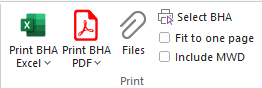
## 11.6.4.3.1 - Print BHA Excel
Clicking on this button will print an Excel format report for the currently selected BHA. If user clicks on the **V** the arrow below the button, it displays the following additional Excel format reports:
**Print BHA Inverted:** Prints an Inverted BHA Report. In a standard BHA report the BHA is arranged the same is it appears in the Assembly Details section, with the bit at the top. An inverted BHA report is identical except the BHA is listed with the bit at the bottom.
**Print all BHA:** Prints all BHAs in a single document.
**Print tally book BHA**: Prints the selected BHA in a compact format designed to be attached to a DD/MWD operator’s tally book.
**Print motor perf report:** Prints the performance report for the current BHA. This report can be customised using the **Drilling** option in the Run Data section.
**Print all motor perf reports:** Prints performance reports for all BHAs for the well in a single document.
**Print mwd perf reports:** Prints the MWD performance report for the current BHA. This report can be customised using the **MWD** option in the Run Data section.
**Print all mwd perf reports:** Prints MWD performance reports for all BHAs for the well in a single document.
## 11.6.4.3.2 - Print BHA PDF
Clicking on this button will print a PDF format report for the currently selected BHA. If user clicks on the **V** the arrow below the button, it will display the same options as the Excel format reports described above, with two additions:
**NM Spacing Report**: Prints the Non Mag Spacing Report for the current BHA.
**MWD pre run verification**: Print the MWD Pre Run Verification Report for the current BHA in PDF format. This report contains data entered into the four tools in the **MWD** section of the ribbon.
**Files:** This option opens the External Files dialog. For more information see [**External Files**](https://docs.innova-drilling.com/introduction/innova-engineering-manual/well-seeker-x-manual/11.0-reporting/11.6-drill-string-editor/11.6.4-drill-string-editor-menu-ribbon/pages/c45c2ab14a36a639521d717029497f2a0fc48df6#id-7.19-external-files). Note that when opened via the Drill String Editor, the user will only be able to view files that have been associated with the currently selected BHA.
**Select BHA:** This dialog allows the user to print a single document containing BHA reports, performance reports and MWD performance reports in either Excel or PDF format. Select the desired format from the dropdown box. Use the table to choose which reports and which BHAs to include in the document.
Figure 271: Select BHA dialog
**Fit to one page:** If selected this will adjust the scale of the reports to fit on one page.
**Include MWD:** Toggle this option on to include MWD data and MWD Probe configurations in the BHA report.
---
# Agent Instructions
This documentation is published with GitBook. GitBook is the documentation platform designed so that both humans and AI agents can read, navigate, and reason over technical content effectively. Learn more at gitbook.com.
## Querying This Documentation
If you need additional information that is not directly available in this page, you can query the documentation by asking a question.
Perform an HTTP GET request on the following URL with the `ask` and `goal` query parameters:
```
GET https://docs.innova-drilling.com/introduction/innova-engineering-manual/well-seeker-x-manual/11.0-reporting/11.6-drill-string-editor/11.6.4-drill-string-editor-menu-ribbon/11.6.4.3-print.md?ask=&goal=
```
`ask` is the immediate question: it should be specific, self-contained, and written in natural language.
`goal` is what the user is ultimately trying to achieve, the reason they need the answer. Sharing it helps GitBook give you a better, more relevant answer. A goal is most helpful when it describes the outcome the user wants rather than restating the question. For example, with `ask=how do I create an API token`, a goal like `automate deployments from our CI pipeline` lets GitBook tailor the answer to that use case.
The response will contain a direct answer to the question and relevant excerpts and sources from the documentation.
Use this mechanism when the answer is not explicitly present in the current page, you need clarification or additional context, or you want to retrieve related documentation sections.